🔄 Scaling Task Workflows
Overview
While supporting the MD FAMLI program, I led the design of a reusable Task Progress List component for the USWDS+FAMLI Design Library and Open Government Design System. The component helps users move through complex workflows by clearly showing progress, status, and next steps.
- My Role: Design Lead
- My Responsibilities: Championed the end-to-end design and delivery of the Task Progress List component, spanning product strategy, design, and content. Drove cross-persona alignment across personas, facilitated design reviews, partnered with engineering to ensure compliance, and owned final documentation and handoff to integrate the component into the shared design system.
- Timeline: Multi-week effort
- The Team: 1 design lead, 2 engineers
- Tools Used: Figma, Mural, Storybook, Slack
Framing the Challenge
Problem
There was no standard way to guide users through task-based workflows across products.
Pain point #1
Designers and developers lacked clear, centralized component guidelines, which led to repetitive, manual troubleshooting.
Pain point #2
Different teams created their own versions of task lists, leading to inconsistent experiences.
Pain point #3
Legacy designs were never systematically tested for screen readers, keyboard navigation, or responsive screen resizing.
Hypothesis
Building a highly scalable, fully tested, and reusable component within the Open Government Design System will unify experiences across MD FAMLI, clear out design debt, and help engineering teams meet upcoming launch deadlines.
Goal
Create a scalable component that shows progress clearly and helps users take the next step with confidence.
Process & Approach
Key contributions
- Built and managed the design schedule, translating research into clear user goals while maintaining a tight timeline
- Created a responsive, multi-state component that works across small viewports and complex workflows
- Facilitated design critiques and gathered feedback through internal design salons and async channels
- Worked closely with developers and compliance experts to ensure feasibility and alignment
- Authored guidance and supported adoption within the shared design system
Discovery & Planning
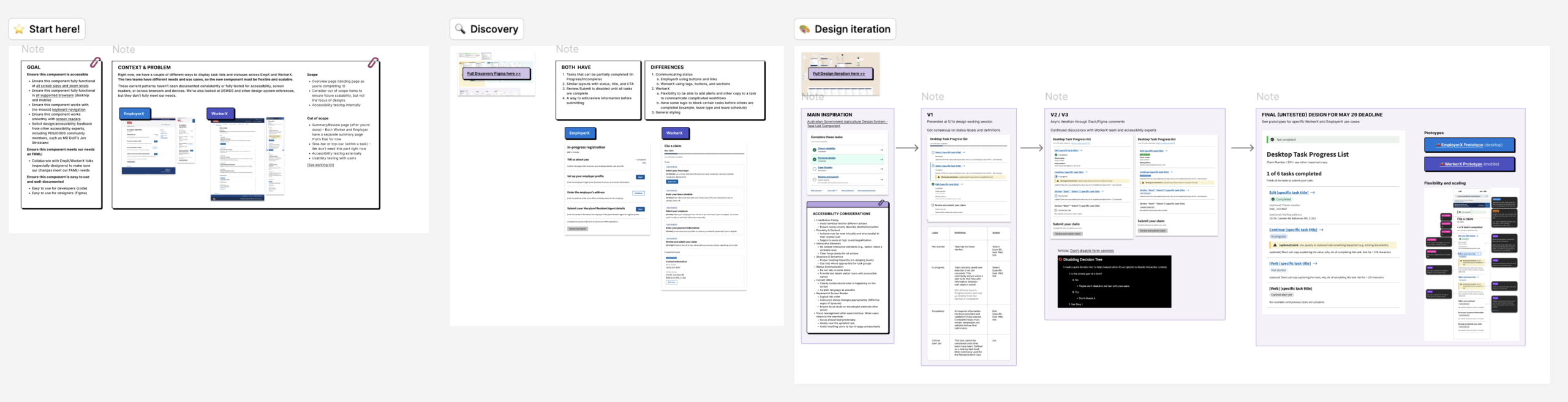
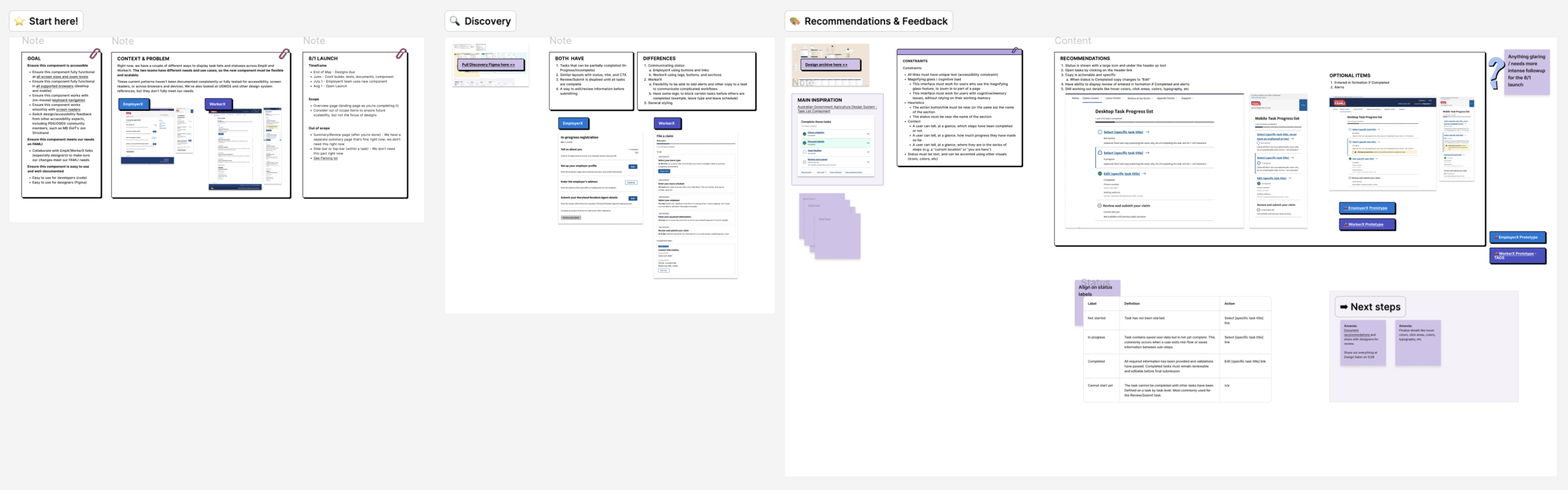
- Reviewed existing designs and prior insights to identify gaps and edge cases, including high zoom behavior
- Evaluated USWDS guidance to define patterns to follow and avoid, such as overlapping click areas and duplicate link text
- Shared early concepts in Slack channels to gather input and align across WorkerX and EmployerX teams
Design
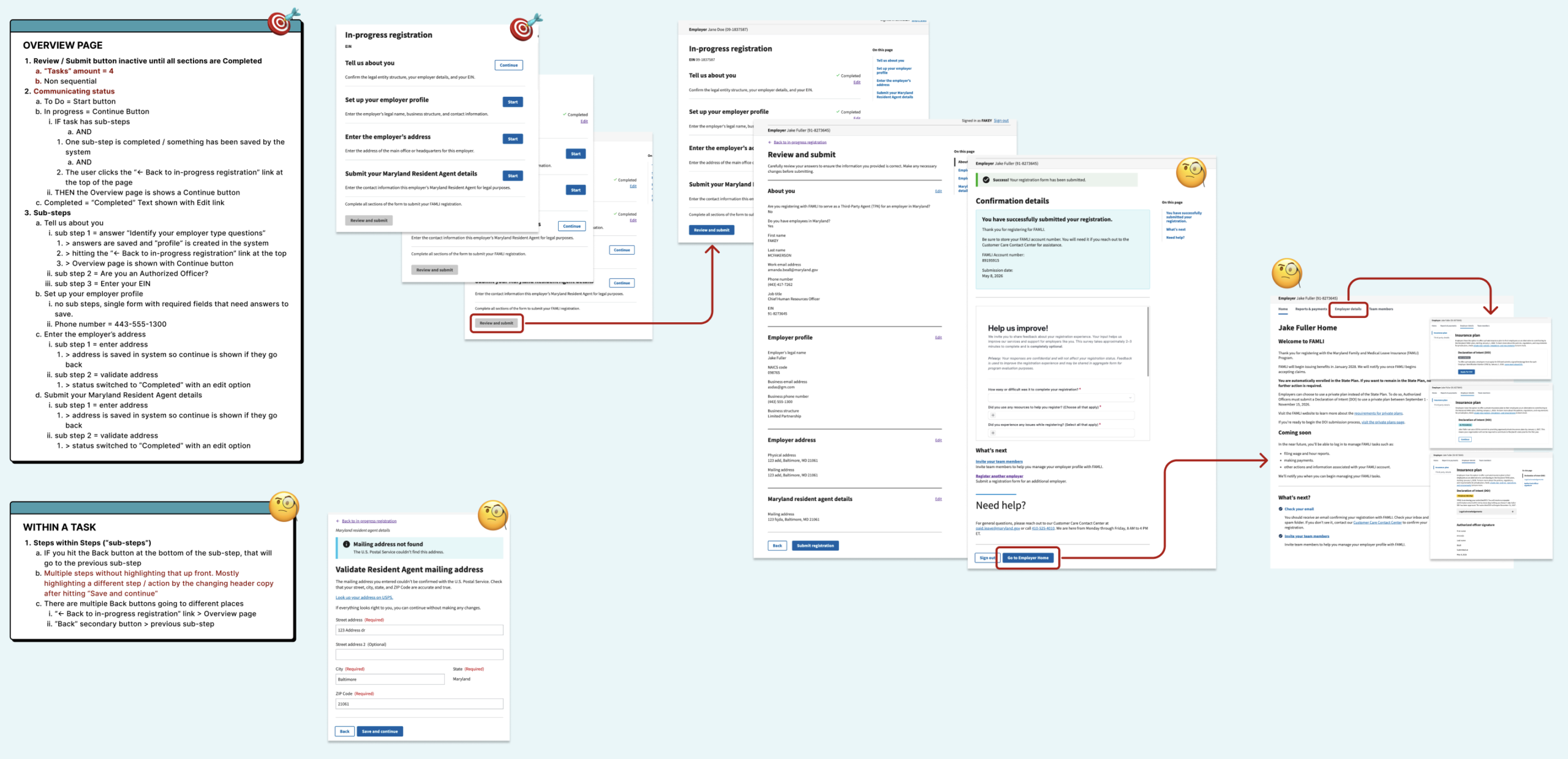
- Created early wireframes and tested layout patterns through team reviews to validate structure and hierarchy
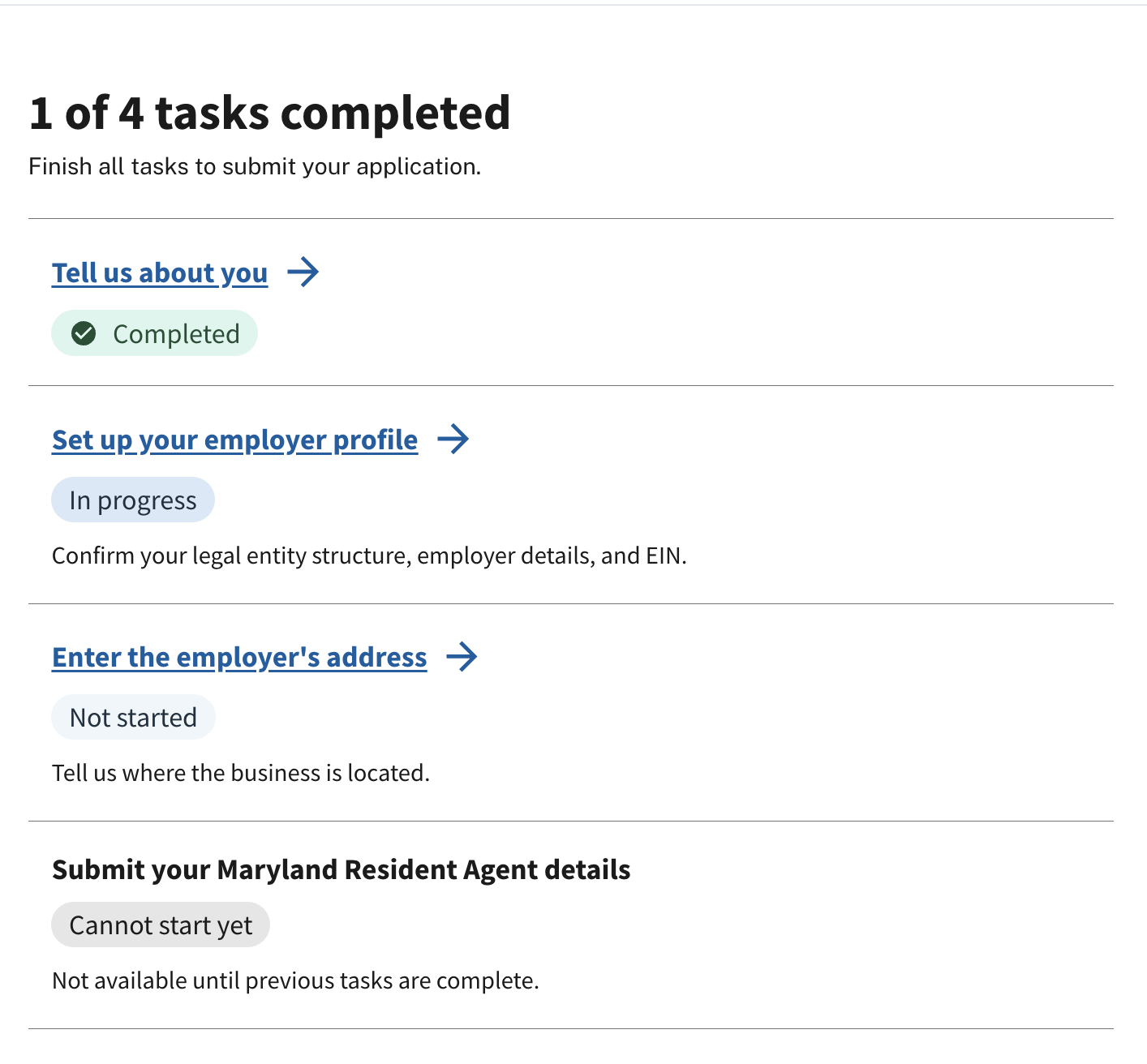
- Workflow refinement: Added “Review and Submit” as a core step to prevent users from missing final actions
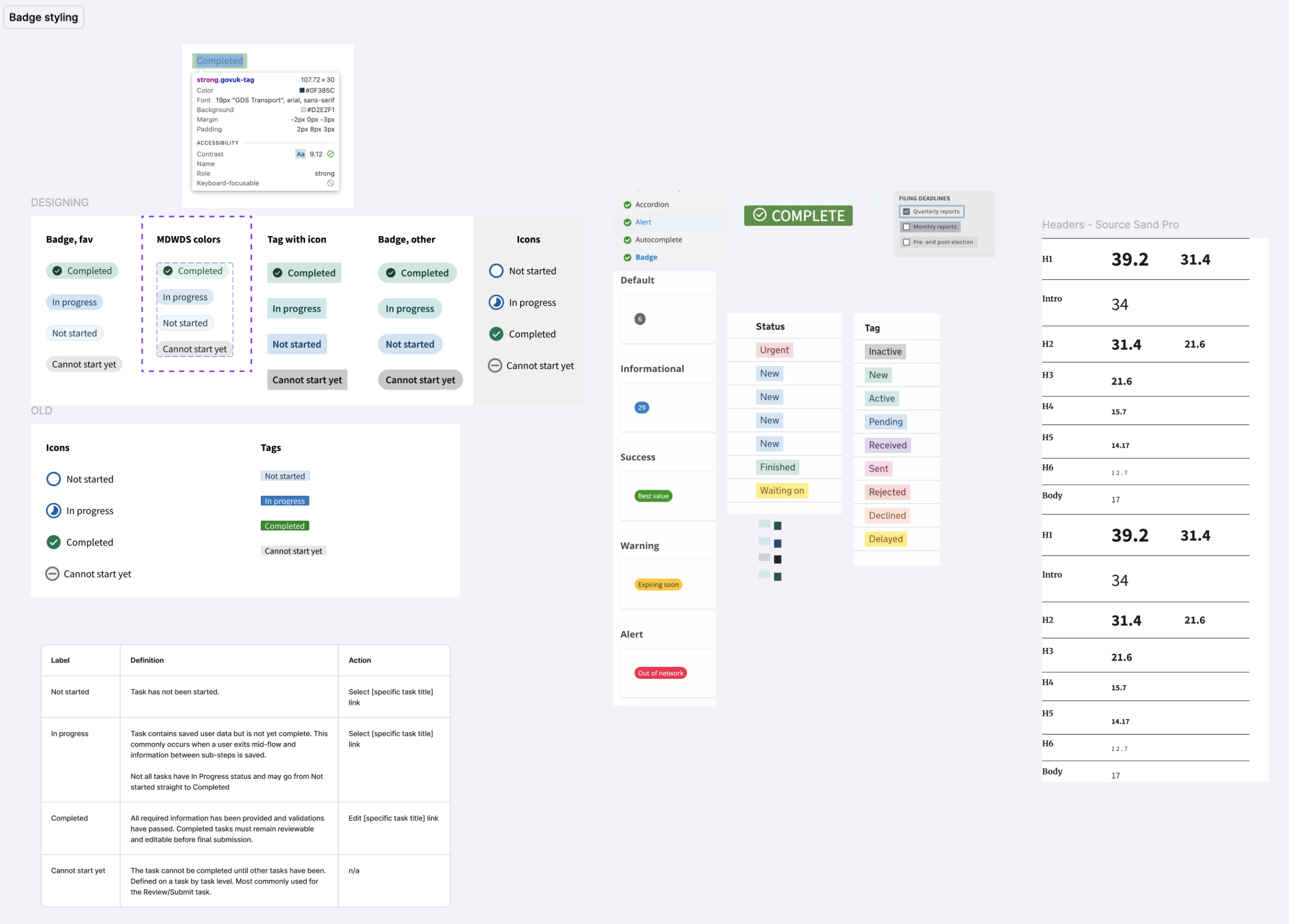
- Replaced hard-to-read tags with clear status badges and improved visual hierarchy for faster scanning
Implementation
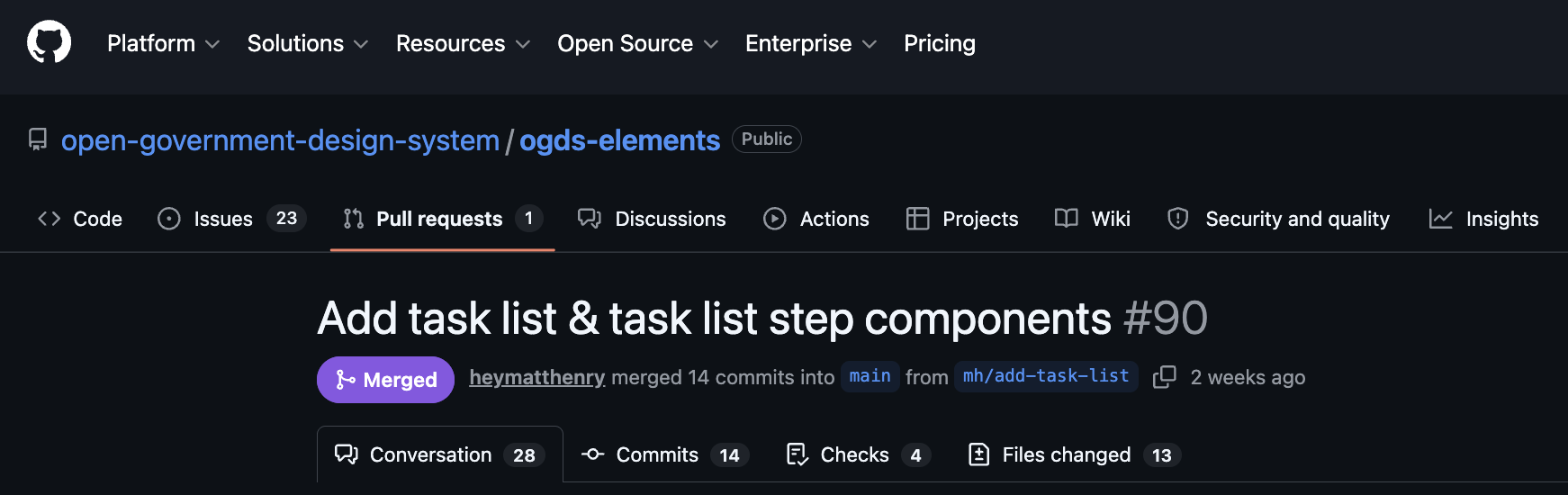
- Partnered closely with engineering to bring the component into production within system constraints and ensured it was merged with the OGDS elements GitHub
- Reviewed build and ensured consistency across breakpoints, states, and interactions
- Worked with compliance partners to confirm patterns met government and internal requirements
Documentation & Design System Integration
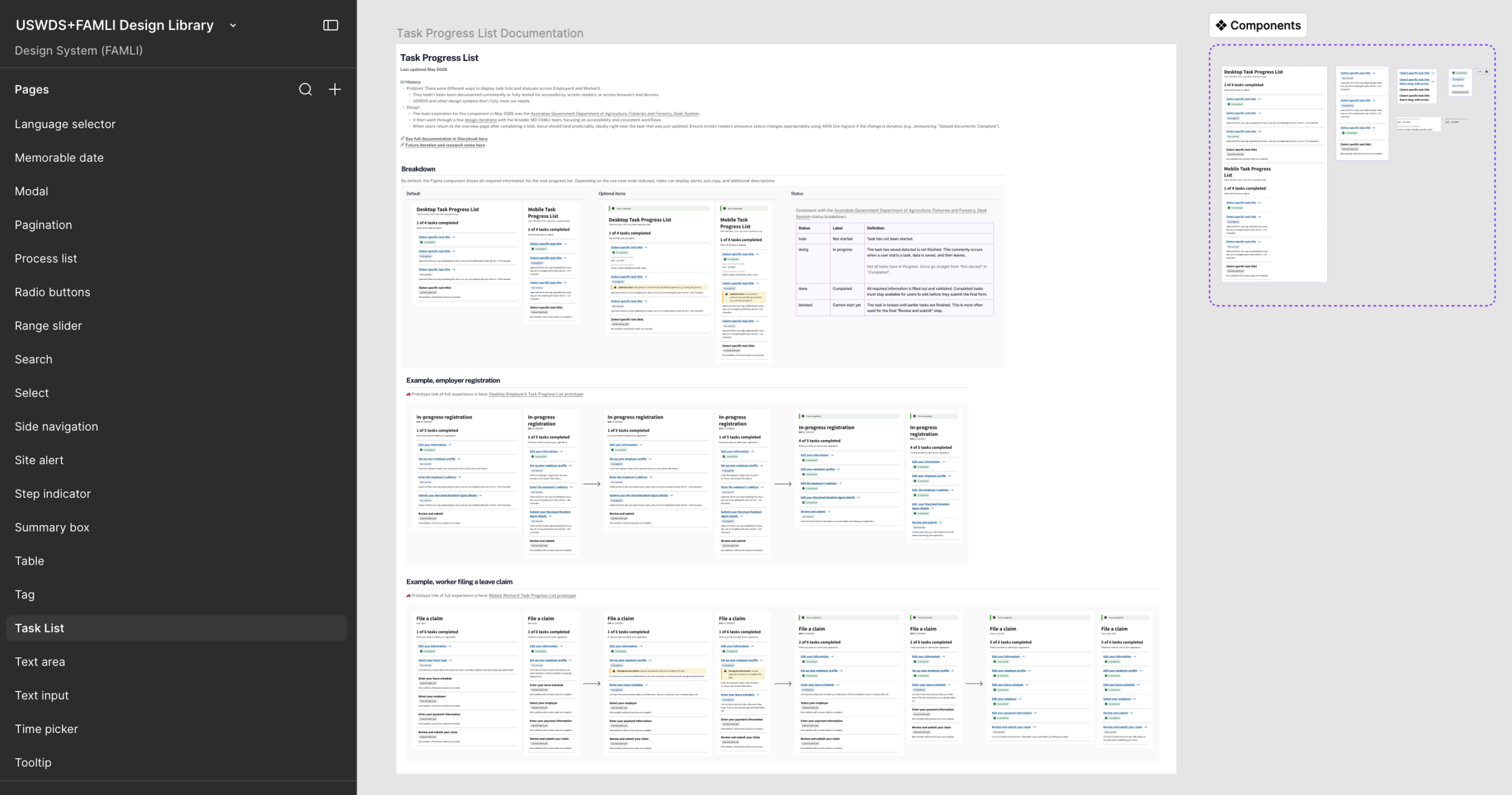
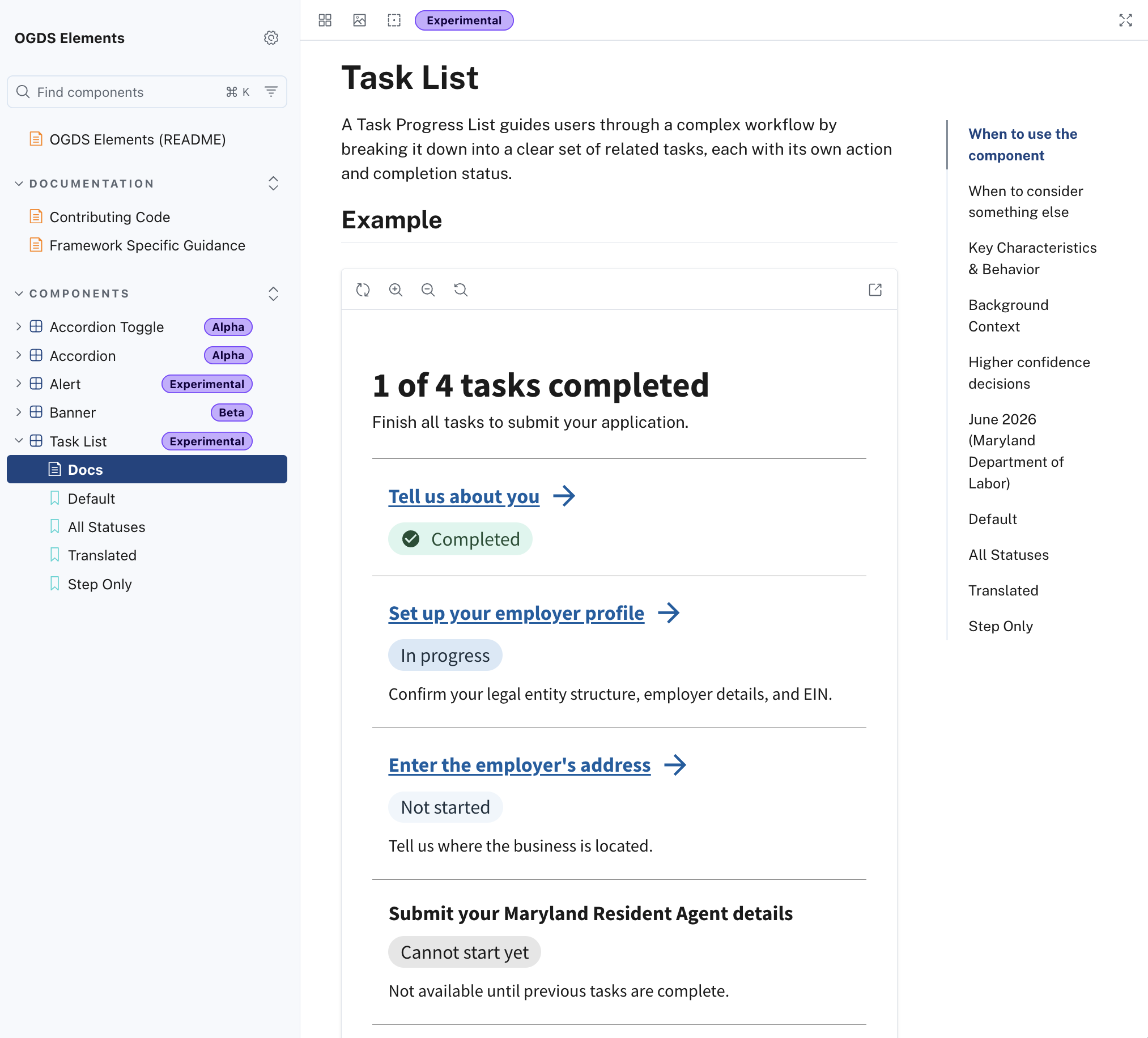
- Documented anatomy, states, behavior, and interaction patterns for designers and developers in the USWDS+FAMLI Design Library Figma and in OGDS Element Storybook
- Provided guidance on task labels, status language, and placement
- Supported teams through examples, questions, and implementation guidance
Challenges & Solutions
Challenge #1
Balancing flexibility for multiple use cases with the need for a consistent pattern
Solution #1
Designed a modular component with optional elements and clear guidelines, allowing teams to adapt the pattern without breaking consistency
Challenge #2
Users needed to understand progress and next steps without relying on memory
Solution #2
Introduced clear status indicators, progress counts, and consistent placement of actions near task titles
Challenge #3
Uncertainty around where to place the Review and Submit step
Solution #3
Iterated on multiple approaches and ultimately included it as the final step in the list to reinforce completion and prevent it from being missed
Challenge #4
Aligning multiple teams and stakeholders with different needs and opinions
Challenge #4
Facilitated structured critiques, shared prototypes, and created space for async feedback to drive alignment and informed decision-making
Outcomes
Deliverables
- Reusable Task Progress List component in USWDS+FAMLI Design Library Figma
- Contribution to the Open Government Design System documentation with usage guidelines and development annotations
- Mobile and desktop design
Results
- Created a shared pattern used across the program
- Built and contributed a reusable component to the Open Government Design System, enabling MD FAMLI to scale the pattern across their product
- Reduced duplicate work across teams
- Increased alignment through clear guidelines and documentation
Key Takeaways & Learnings
Build Inclusive, Flexible Layouts from Day One
Prioritizing strict contrast limits, keyboard navigation, and high screen zoom early in the design phase eliminates design debt and protects project timelines from costly, late-stage reworks.
Predictability Trumps Novelty in Public Service
Locking statuses, actions, and critical workflow steps into highly predictable, consistent locations minimizes cognitive load for users managing complex personal tasks.
Cross-Functional Alignment Accelerates Adoption
Transforming siloed opinions into shared ownership through structured design critiques and asynchronous channels drives faster decision-making and smoother program-wide integration.
Design Systems Succeed on Documentation, Not Just Pixels
Delivering robust UI components alongside clear usage guidelines and development annotations ensures that future teams can safely scale the interface without compromising the user experience.